Impulse
Price and volume cross the selected thresholds. The instrument enters observation, but no reversal conclusion is made.
TRADINGVIEW · 5M · INVITE-ONLY
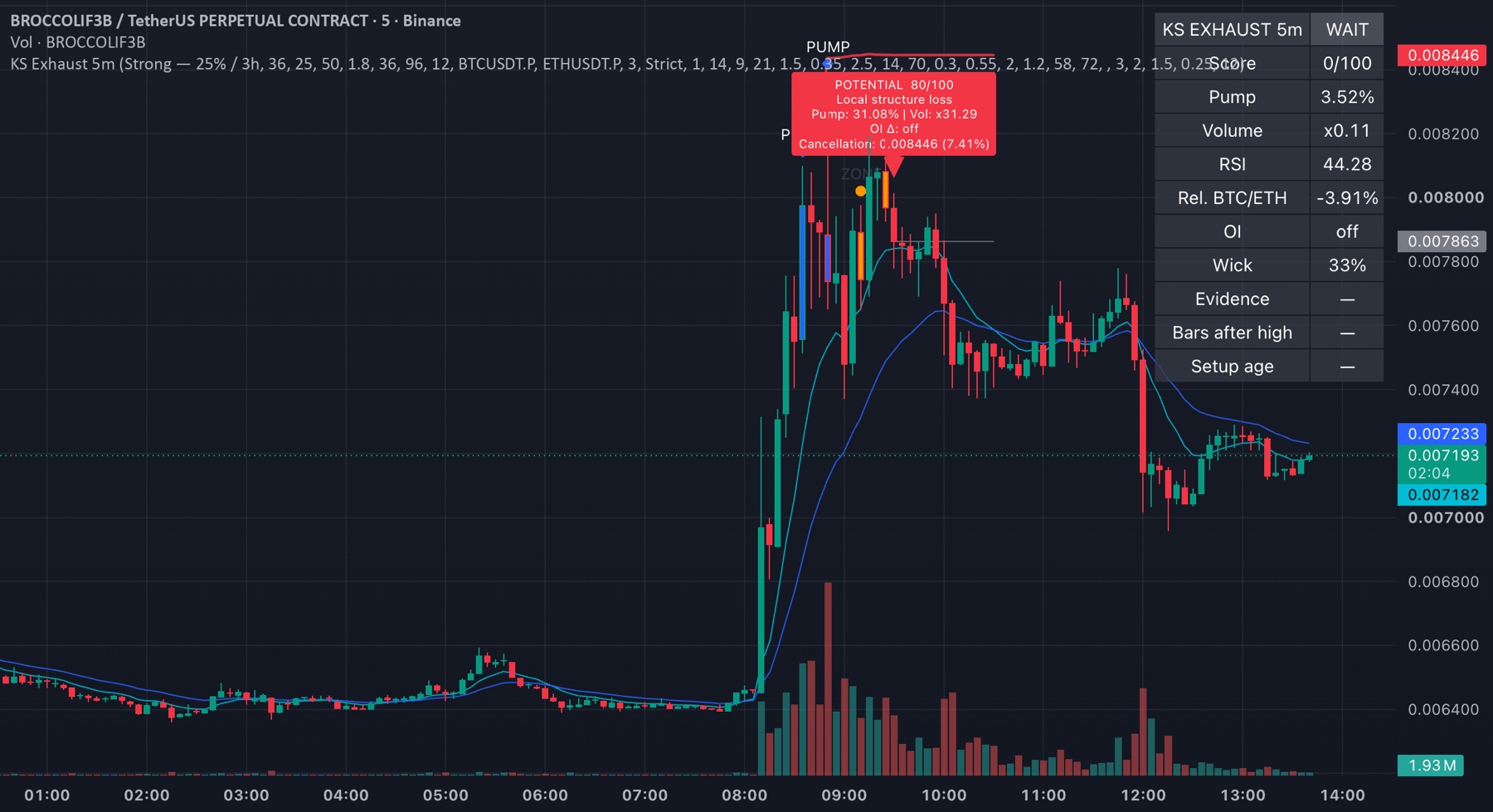
Pump Exhaustion Radar follows an abnormal move as a staged scenario: it detects the impulse, switches into observation and highlights when a closed candle has accumulated evidence of possible exhaustion.
A SCENARIO, NOT A SINGLE ARROW
The indicator keeps state after the impulse and waits for evidence. Early attention and stricter confirmation remain clearly separated.
Price and volume cross the selected thresholds. The instrument enters observation, but no reversal conclusion is made.
The move is extended and the score detects early exhaustion evidence. This is a prompt to open the chart and monitor the reaction.
A closed candle adds sufficient structure, EMA, momentum, volume and rejection evidence. It is not an entry command.
REAL TRADINGVIEW CHARTS
These are captured historical charts with genuine Pine markers. They are favourable examples, not a promise that every future scenario will resolve the same way.
After a move of more than 30%, a Potential 80/100 marker appeared. The chart shows the subsequent reaction from the local high.
Historical example · not financial advice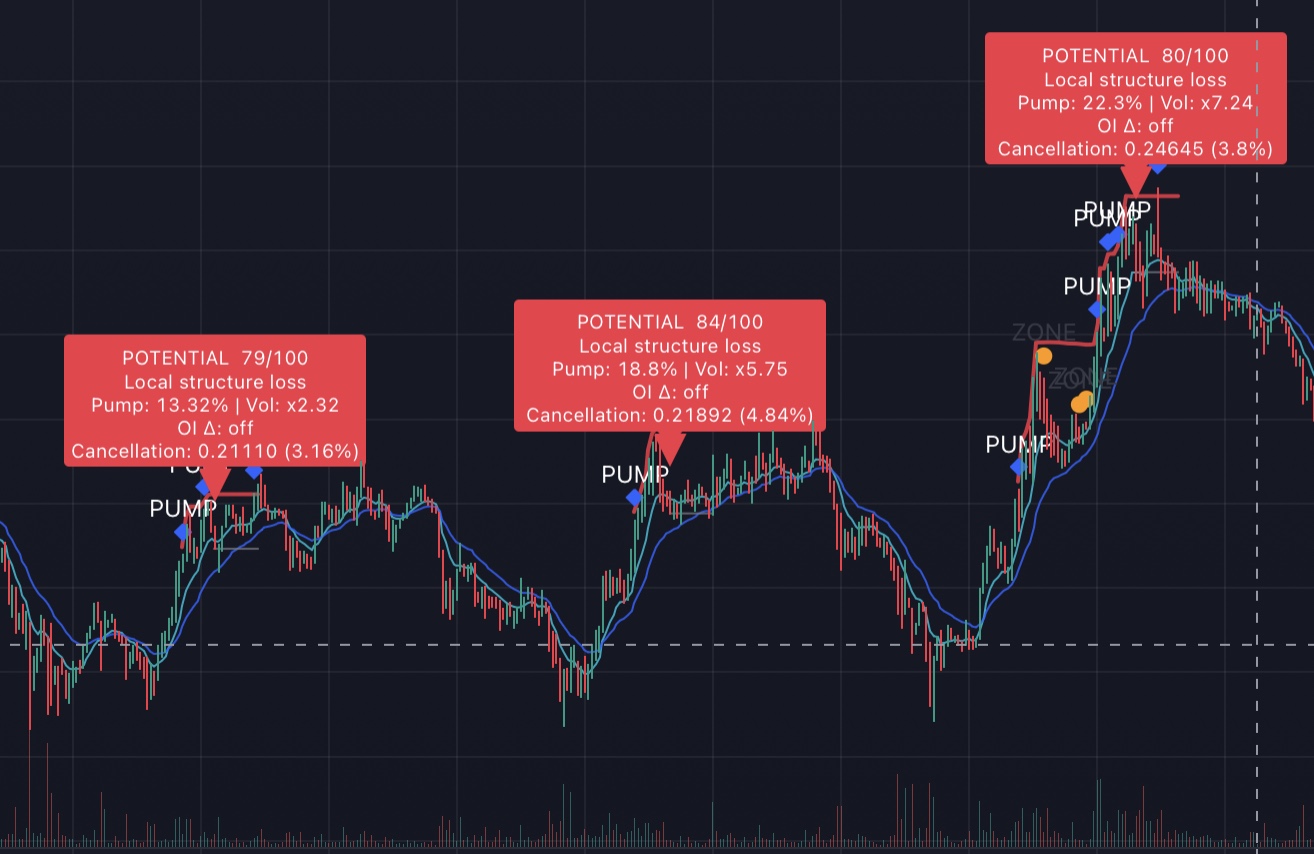
One historical segment contains three separate Potential markers: 79/100, 84/100 and 80/100. This makes it possible to assess repeated indicator behaviour rather than a single favourable case.
Historical example · not financial advice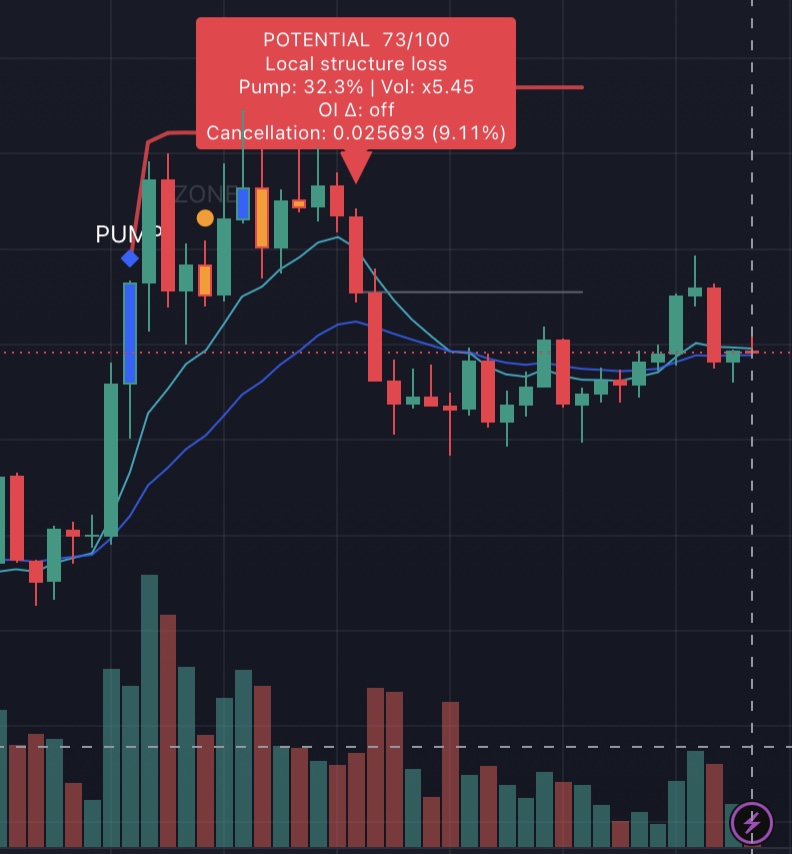
After the impulse, the indicator marked an orange ZONE and then Potential 73/100 near the local high. The subsequent price reaction is visible on the right.
Historical example · not financial adviceFOR DIFFERENT MARKET SPEEDS
More scenarios for fast local pumps.
Fewer, more pronounced extended moves.
Adapt the trigger to liquidity, volatility and the instrument.
WHAT ENTERS THE 0–100 SCORE
The dashboard explains why the scenario is in its current stage. You see the reasoning inputs, not merely a marker.
🔔 KS Potential Reversal
BROCCOLIF3BUSDT · 5m
ALERTS AWAY FROM THE SCREEN
Create an alert for the impulse, observation zone, potential reversal or any stage. Kline Scout Watcher accepts the webhook and sends a formatted Telegram message with chart, Binance, Bybit and CoinGlass links.
ACCESS
Active Kline Scout Premium members receive invite-only access for the duration of their subscription. Send your exact TradingView username to support and we will add it to the access list.
Indicator questions
No. The indicator highlights a market scenario for independent review and never places orders.
The base logic and examples are designed for standard candles on the 5-minute timeframe.
Stages are fixed after candle close. Cross-symbol data is requested without look-ahead, though exchange feeds may revise historical data.
The logic can be used on Bybit perpetual charts, but thresholds should be validated on the history of the selected venue and instrument.
Yes. Create separate alerts for each stage or select the condition that fires when any stage is completed.
Activate Kline Scout Premium or ask support about standalone access, then provide your exact TradingView username.